
BeezTable · Available
Order and pay at the table with a QR code, no app needed
BeezTable lets your guests order and pay at the table with a QR code, with no app, and orders connected to your Beez360 restaurant.
See BeezTable in a demo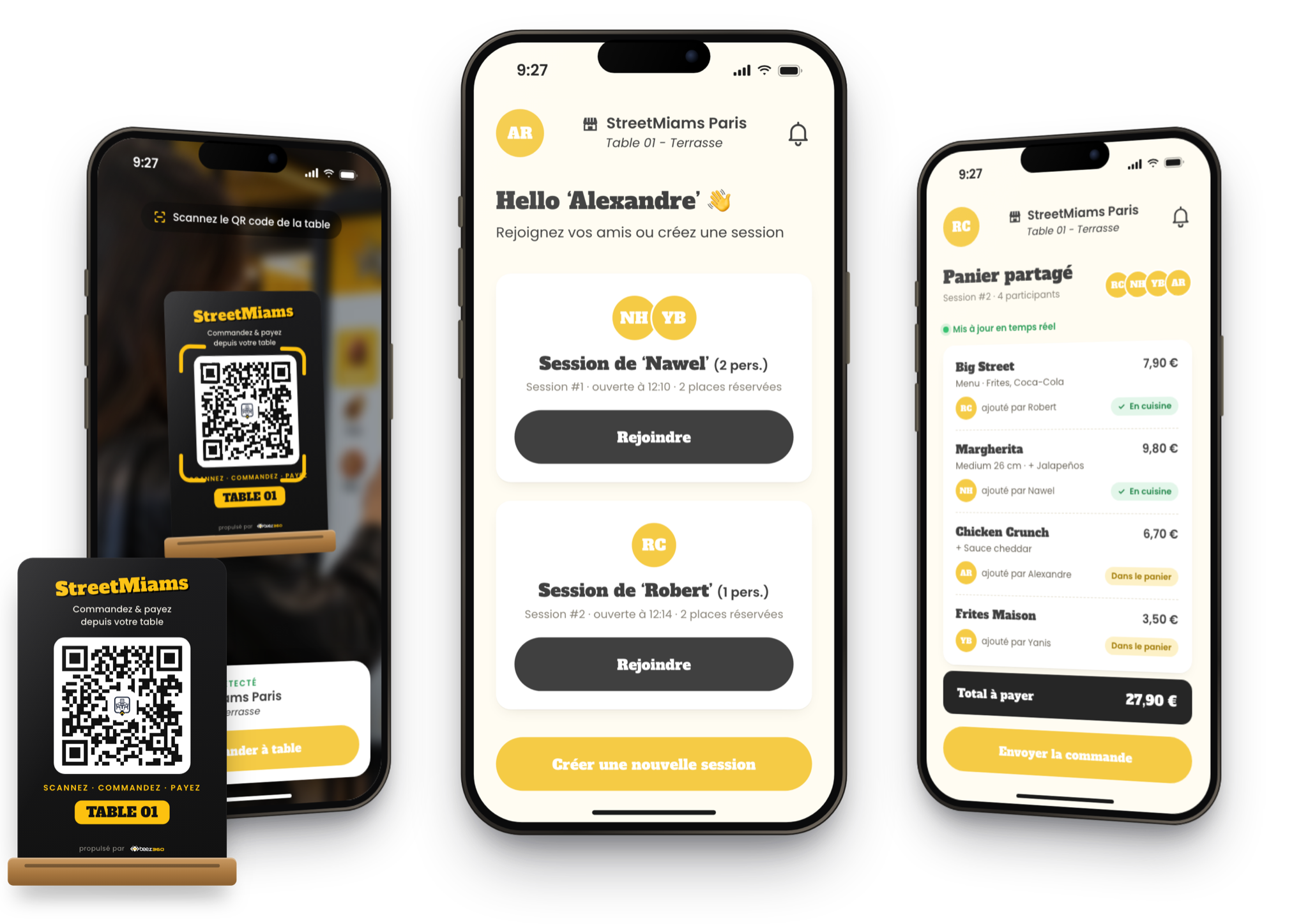
StreetMiams: a Beez360 demonstration brand. Locations and data are illustrative.
Your operation
For table-service restaurants that want a smoother dining room
- Menu access by scanning the table's QR code, with no app.
- Several sessions at one table, with a shared basket.
- Pay for a few items, split equally or pay a custom amount.
- Order again during the meal.
Stop keeping the dining room waiting
Waiting for the menu, the order or the bill weighs on the guest experience and on table turnover, especially at peak times. With BeezTable, guests scan their table’s QR code and browse the menu in their phone’s browser, with no app to install. Your team keeps time to welcome, advise and serve.
Order and pay together, at their own pace
Several sessions can be open at the same table; to join an existing session, a guest sends a request that its participants accept. Everyone adds items to the shared basket and can order again during the meal. When it is time to pay, the table settles a few items, splits the bill equally or enters a custom amount; the bill closes once everything is paid. Orders join the restaurant’s order flow and preparation is tracked in BeezKitchen.
Prepare the dining room roll-out
Assign a QR code to each table, check the menu, options and available products in BeezBO, then decide how the team follows table orders during service. Start with one area, such as the terrace, before extending to the whole dining room. BeezTable is included in 360 Suite.

Captain Beez
See BeezTable in your own setting.
Captain Beez and the Beez360 team walk you through BeezTable on your own workflows: your menu, your organisation and your teams.
See BeezTable in a demoFAQ
Your questions, answered
Do guests need to download an app?
No. Guests scan their table’s QR code and order from their phone’s browser.
Can several people order at the same table?
Yes. Several sessions can be open at one table. To join an existing session, a guest sends a request that the participants accept.
Can the bill be split?
Yes. The table can pay for a few items, split the bill equally or pay a custom amount. The bill closes once everything is paid.
Can guests order again during the meal?
Yes. A new order can be placed from the current session, for example for dessert or a drink.

Let’s talk about your business.
Management, POS, ordering and kitchen workflows: explore the Beez360 solutions that fit your business.
Or call us+33 6 95 77 56 39


70% off
Exclusive beta offer
Your beta advantage starts here.
the subscription for your first 2 locations for 12 months.
The entire Beez360 suite · For selected businesses.