
The short answer
Should you choose an iPad POS, an Android POS or an all-in-one terminal?
Choose the software first, then the hardware it supports. A tablet suits a simple counter or mobile order taking; an all-in-one terminal with a built-in printer copes better with a busy counter. Check the link to the payment terminal, the printer and the kitchen, and cost the whole setup over several years.
Editorial review: · BINOV (opens in a new tab)
Software first, hardware second
A POS is first of all software: the menu, options, kitchen tickets, payment and reporting. The hardware only hosts it. Each vendor states which devices its software runs on: starting from a tablet you already own narrows the choice to the vendors that support it.
So test your real service on the software, then ask for the list of compatible hardware. The guide to choosing restaurant POS software details the scenarios to test.
iPad or Android tablet: what really differs
Both families of tablets do the same job at the counter: show the menu and take the order. The differences lie mostly in the hardware on offer: a single manufacturer for the iPad, many models and price ranges for Android, including rugged tablets and terminals designed for retail.
A consumer tablet sits on a stand, connects to a separate printer and payment terminal, and can also be used to take orders at the table. Plan for a stable stand, permanent power and protection from splashes: a food-service counter is harsher than a desk.
The all-in-one terminal, built for the counter
An all-in-one point-of-sale terminal combines the screen, the receipt printer and sometimes a second customer-facing screen in one unit. Fewer cables and fewer parts to keep together: it is often the choice for high-traffic counters.
On the other hand, it stays in one place and usually costs more to buy than a tablet. Compare over time: a device that lasts several years of daily service can work out cheaper than a tablet that needs replacing sooner.
Payment, printer, kitchen: the links to check
The most important point is not the screen but what connects to it. The payment terminal should receive the amount from the till with no re-entry, otherwise every payment becomes a source of error. The receipt printer, the cash drawer and kitchen tickets (screen or printer) must work with the chosen device.
Also check connectivity: the shop's network, a backup option, and what the till does when the Internet goes down. Finally, software compliance does not depend on the hardware: in France, ask for the document required by the anti-fraud VAT rules.
Where does BeezPOS fit?
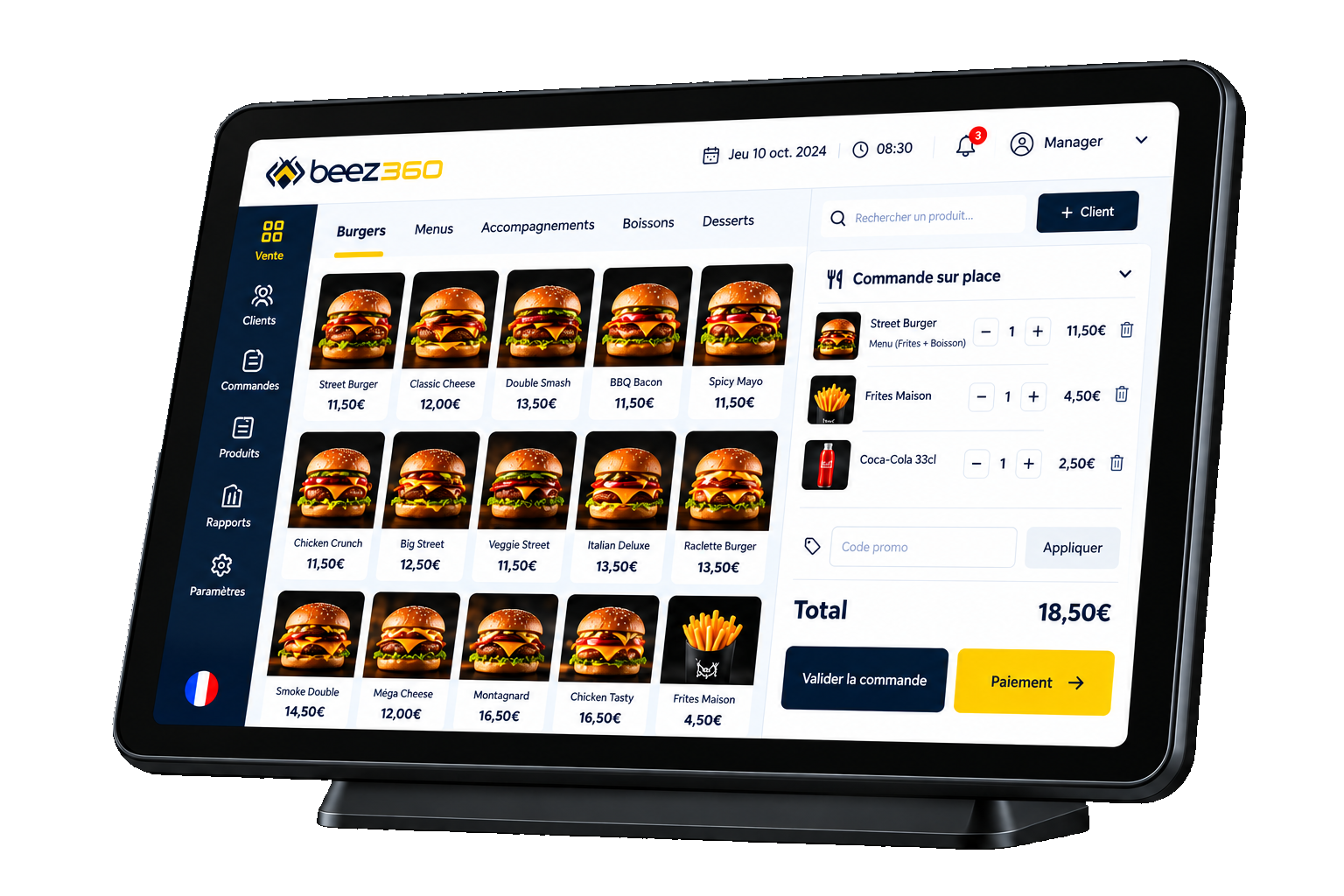
The BeezPOS till runs on an Android tablet or Android point-of-sale terminal; no iPad version is announced. Card payments go through a SumUp terminal connected to the till: the amount is sent to it with no re-entry.
Beez360 sells hardware and recommends the right device for each use; you can also use your own, once its compatibility has been checked. Orders go to the BeezKitchen kitchen display or a printer, and the menu is managed in the BeezBO back office.
See BeezPOS in a demoCompare the options
Scroll horizontally to read the full table.
| Criterion | Tablet (iPad or Android) | All-in-one terminal |
|---|---|---|
| Typical use | Simple counter, table-side ordering | High-traffic counter |
| Receipt printer | Separate, to connect | Often built in |
| Mobility | Can move around the room | Fixed station |
| Durability | Varies: plan a stand and protection | Designed for commercial use |
| Purchase cost | Usually lower | Usually higher |
| To check | Compatibility with the chosen software | Compatibility with the chosen software |
Your checklist before choosing
- Test the software on your real service before choosing the device.
- Ask for the list of compatible hardware.
- Check that the payment terminal receives the amount with no re-entry.
- Connect the printer, cash drawer and kitchen tickets during the trial.
- Plan a stand, power and protection at the counter.
- Compare the total cost over several years, not just the purchase price.
- Ask for the software's compliance document.
Worth sharing
Could this guide help your team or network?
Send it to the relevant people to support your next decisions.