
The short answer
What digital equipment do you need to open a fast food restaurant?
The core comes down to three things: a till with a payment terminal, a way to send orders to the kitchen (screen or printer) and a back office for the menu and sales. The kiosk, the order status screen and online ordering come next, depending on your flow. Choose tools that are connected, so nothing is entered twice.
Editorial review: · BINOV (opens in a new tab)
Where to start: the till and payment
The till is the first piece of equipment to choose, because everything connects to it: the menu, sales, payment and kitchen tickets. Check which hardware it runs on, how the payment terminal is connected and what happens when the network is unstable. The iPad, Android or all-in-one terminal guide compares the hardware options.
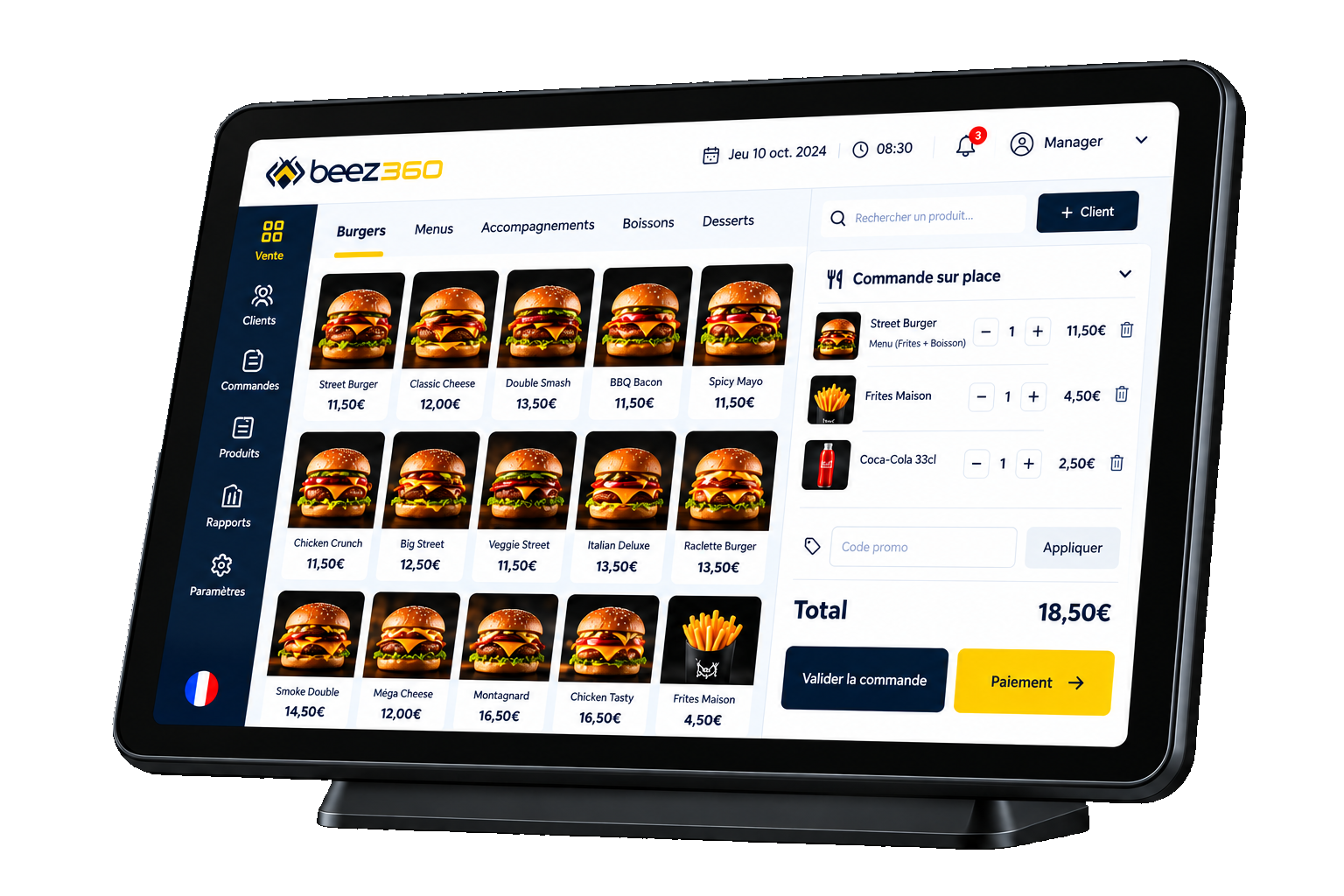
The BeezPOS till runs on Android tablets or Android POS terminals. The payment terminal is integrated: the till sends it the amount, with no re-entry. The menu, meals and prices are set up in the BeezBO back office, which also tracks revenue per channel and the average ticket.
How do orders reach the kitchen?
Two options coexist: the kitchen screen and the ticket printer. The screen sorts orders by status and shows their origin and waiting time; the printer stays simple and familiar for the team. The right choice depends on the number of prep stations and the volume at peak times.
With Beez360, the BeezKitchen screen receives orders from the till, the kiosk and the web in a single queue, and several screens stay in sync across stations. A kitchen ticket printer can complement the screen, for example at one station, or replace it.
Do you need a kiosk and an order status screen from day one?
Not necessarily. A kiosk adds a self-service ordering point: it helps when the queue builds up at ordering time, and when the kitchen can absorb the flow. An order status screen shows orders in preparation and ready, which avoids calling out numbers at the counter when customers wait standing.
If you are unsure, plan the space and power outlets during the fit-out, then add this equipment after a few weeks of observation. The self-ordering kiosk guide explains how to assess it without assuming a gain.
What about online ordering?
Click and collect can run from opening day: customers order online, choose their pickup time and pay online or at pickup. Orders reach the kitchen with those from the counter. A branded ordering app can follow, with delivery and a loyalty program.
Delivery platform integration is in development in BeezBO and BeezPOS. To compare selling direct with the platforms, read the commission-free online ordering guide.
Buy the hardware or bring your own?
Beez360 sells the hardware: kiosks, kitchen screens, order status screens, printers and payment terminals. You can also use your own hardware; in that case, have its compatibility checked before buying, as we recommend the right hardware for each use.
Installation and training take place on site or remotely, depending on your needs. How long they take depends on the solutions chosen and on your team’s experience with this kind of tool: schedule them before opening day, with a test service.
Plan my opening in a demoCompare the options
Scroll horizontally to read the full table.
| Equipment | At opening | When to add it |
|---|---|---|
| Till and payment terminal | Essential | From day one |
| Kitchen screen or printer | Essential | From day one, by station |
| Back office (menu, sales) | Essential | Before opening, to enter the menu |
| Click and collect | Recommended | At opening or in the first weeks |
| Self-ordering kiosk | Depends on the queue | When ordering slows down service |
| Order status screen | Depends on the room | When customers wait standing near the counter |
Your checklist before choosing
- List your sales channels: counter, kiosk, online.
- Choose the till and its payment terminal.
- Decide between kitchen screen, printer or both.
- Enter the menu, meals and options before opening.
- Plan space and power for a kiosk and a status screen.
- Schedule installation, training and a test service.
Worth sharing
Could this guide help your team or network?
Send it to the relevant people to support your next decisions.